
And here it is. A management tool for Java SDKs.
software
-
Managing Java SDKs
-
Direct Accessing XML with Java
Motivation
Processing of huge XML files can become cumbersome if your hardware is limited.
„Parsing a sample 20 MB XML document[1] containing Wikipedia document abstracts into a DOM tree using the Xerces library roughly consumes about 100 MB of RAM. Other document model implementations[2] such as Saxon’s TinyTree are more memory efficient; parsing the same document in Saxon consumes about 50 MB of memory. These numbers will vary with document contents, but generally the required memory scales linearly with document size, and is typically a single-digit multiple of the file size on disk.“
Probst, Martin. “Processing Arbitrarily Large XML using a Persistent DOM.” 2010. https://www.balisage.net/Proceedings/vol5/html/Probst01/BalisageVol5-Probst01.html
A good way to deal with huge files is to split them into smaller ones. But sometimes you don’t have that option.
Here is where Random Access comes into play. While random access of binary files is well supported by standard Java tools, this is not true for higher-order text-based formats like XML.
The Plan
- Find proper access points, by taking XML structure into account.
- Translate character offsets to byte offsets (take encoding into account)
This sounds straightforward.
Existing Libraries
The StAX library offers streaming access to XML data without the need of loading a complete DOM model into memory. The library comes with an XMLStreamReader offering a method getLocation().getCharacterOffset() .
But unfortunately this will only return character offsets. In order to access the file with standard java readers we need byte offsets. UTF-8 uses variable lengths for encoding characters. This means that we have to reread the whole file from the beginning to calculate the byte offset from character offset. This seems not acceptable.
Solution
In the following I will introduce a solution, based on a generated XML parser using ANTLR4.
- We will use the parser to walk through the XML file. While the parser is doing it’s work it will spit out byte offsets whenever a certain criteria is fulfilled (in the example we will search for XML-Elements with the name ‚page‘).
- I will use the byte offsets to access the XML file and to read portions of XML into a Java bean using JAXB.
The Following works very well on a ~17GB Wikipedia dump
/20170501/dewiki-20170501-pages-articles-multistream.xml.bz2. I still had to increase heap size using-xX6GBbut compared to a DOM approach this looks much more acceptable.1. Get XML Grammar
cd /tmp
git clone https://github.com/antlr/grammars-v4
2. Generate Parser
cd /tmp/grammars-v4/xml/
mvn clean install
3. Copy Generated Java files to your Project
cp -r target/generated-sources/antlr4 /path/to/your/project/gen
4. Hook in with a Listener to collect character offsets
package stack43366566;

import java.util.ArrayList;
import java.util.List;

import org.antlr.v4.runtime.ANTLRFileStream;
import org.antlr.v4.runtime.CommonTokenStream;
import org.antlr.v4.runtime.tree.ParseTreeWalker;

import stack43366566.gen.XMLLexer;
import stack43366566.gen.XMLParser;
import stack43366566.gen.XMLParser.DocumentContext;
import stack43366566.gen.XMLParserBaseListener;

public class FindXmlOffset {

    List<Integer> offsets = null;
    String searchForElement = null;

    public class MyXMLListener extends XMLParserBaseListener {
        public void enterElement(XMLParser.ElementContext ctx) {
            String name = ctx.Name().get(0).getText();
            if (searchForElement.equals(name)) {
                offsets.add(ctx.start.getStartIndex());
            }
        }
    }

    public List<Integer> createOffsets(String file, String elementName) {
        searchForElement = elementName;
        offsets = new ArrayList<>();
        try {
            XMLLexer lexer = new XMLLexer(new ANTLRFileStream(file));
            CommonTokenStream tokens = new CommonTokenStream(lexer);
            XMLParser parser = new XMLParser(tokens);
            DocumentContext ctx = parser.document();
            ParseTreeWalker walker = new ParseTreeWalker();
            MyXMLListener listener = new MyXMLListener();
            walker.walk(listener, ctx);
            return offsets;
        } catch (Exception e) {
            throw new RuntimeException(e);
        }
    }

    public static void main(String[] arg) {
        System.out.println("Search for offsets.");
        List<Integer> offsets = new FindXmlOffset().createOffsets("/tmp/dewiki-20170501-pages-articles-multistream.xml",
                        "page");
        System.out.println("Offsets: " + offsets);
    }

}
5. Result
Prints:
Offsets: [2441, 10854, 30257, 51419 ….
6. Read from Offset Position
To test the code I’ve written class that reads in each wikipedia page to a java object
@JacksonXmlRootElement
class Page {
 public Page(){};
 public String title;
}
using basically this code
private Page readPage(Integer offset, String filename) {
        try (Reader in = new FileReader(filename)) {
            in.skip(offset);
            ObjectMapper mapper = new XmlMapper();
             mapper.configure(DeserializationFeature.FAIL_ON_UNKNOWN_PROPERTIES, false);
            Page object = mapper.readValue(in, Page.class);
            return object;
        } catch (Exception e) {
            throw new RuntimeException(e);
        }
    }
Download
Find complete example on github.
-
WebSockets – A Conceptual Deep-Dive
-
URL encoding in Java – Explained
Recently I introduced a solution for URL encoding in Java .
public static String encode(String url) {
    try {
      URL u = new URL(url);
      URI uri = new URI(u.getProtocol(),
                        u.getUserInfo(),
                        IDN.toASCII(u.getHost()),
                        u.getPort(),
                        u.getPath(),
                        u.getQuery(),
                        u.getRef());
      String correctEncodedURL = uri.toASCIIString();
      return correctEncodedURL;
    } catch (Exception e) {
      throw new RuntimeException(e);
    }
}
Now I like to introduce a set of URLs to test the code. Good test sets are provided at the ‚Web Platform Tests‘ (wpt) repository. A comprehensible assembly of infos about the URL standard can be found at whatwg.org.
On basis of the ‚Web Platform Tests‘ I created a file to hold test urls together with the expected outcome. The test set is provided in the following form:
{
  "in" : "http://你好你好.urltest.lookout.net/",
  "out" : "http://xn--6qqa088eba.urltest.lookout.net/"
},
{
  "in" : "http://urltest.lookout.net/?q=\"asdf\"",
  "out" : "http://urltest.lookout.net/?q=%22asdf%22"
}
To test my URL encoding implementation I use the following code
try (InputStream in = Thread.currentThread().getContextClassLoader()
        .getResourceAsStream("url-succeding-tests.json")) {
  ObjectMapper mapper = new ObjectMapper();
  JsonNode testdata = mapper.readValue(in, JsonNode.class).at("/tests");
  for (JsonNode test : testdata) {
    String url = test.at("/in").asText();
    String expected = test.at("/out").asText();
    String encodedUrl = URLUtil.encode(url);
    org.junit.Assert.assertTrue(expected.equals(encodedUrl));
  }
} catch (Exception e) {
  throw new RuntimeException(e);
}
During my tests I also found some URLs that were not encoded correctly. I collected them in another JSON file.
Here are some failing examples:
{ "in" : "http://www.example.com/##asdf", "out" : "http://www.example.com/##asdf" },{ "in" : "http://www.example.com/#a\nb\rc\td", "out" : "http://www.example.com/#abcd" }, { "in" : "file:c:\\\\foo\\\\bar.html", "out" : "file:///C:/foo/bar.html" }, { "in" : " File:c|////foo\\\\bar.html", "out" : "file:///C:////foo/bar.html" },{ "in" : "http://lookout.net/", "out" : "http://look%F3%A0%80%A0out.net/" }, { "in" : "http://look־out.net/", "out" : "http://look%D6%BEout.net/" },Here is, how my encoding routine fails:
In: http://www.example.com/##asdf Expect: http://www.example.com/##asdf Actual: http://www.example.com/#%23asdf In: http://www.example.com/#a b c d Expect: http://www.example.com/#abcd Actual: http://www.example.com/#a%0Ab%0Dc%09d In: file:c:\\foo\\bar.html Expect: file:///C:/foo/bar.html Actual: ERROR In: File:c|////foo\\bar.html Expect: file:///C:////foo/bar.html Actual: ERROR java.net.URISyntaxException: Relative path in absolute URI: file://c:%5C%5Cfoo%5C%5Cbar.html java.net.URISyntaxException: Relative path in absolute URI: file://c%7C////foo%5C%5Cbar.html java.lang.IllegalArgumentException: java.text.ParseException: A prohibited code point was found in the inputlookout In: http://lookout.net/ Expect: http://look%F3%A0%80%A0out.net/ Actual: ERROR java.lang.IllegalArgumentException: java.text.ParseException: The input does not conform to the rules for BiDi code points.look־out In: http://look־out.net/ Expect: http://look%D6%BEout.net/ Actual: ERROR
Fazit
My URL encoding routine needs still some refinement. Especially cases of double encoding and the handling of URL fragments must be subjects of further improvement. However I’m already very happy with this standard Java solution. A more sophisticated approach can be found here: https://github.com/smola/galimatias and will also be subject of future tests.
Since this research is based on one of my stackoverflow answers, you can find the relevant code in my overflow repository.
-
Software Development in year 2018
Interested in the current state of the art (in real world)? Read this:
https://news.ycombinator.com/item?id=18442637
Favorite comment so far:
„We have absolutely no idea how to write code. I always wonder if it’s like this for other branches of engineering too? I wonder if engineers who designed my elevator or airplane had „ok it’s very surprising that it’s working, let’s not touch this“ moments. Or chemical engineers synthesize medicines in way nobody but a rockstar guru understands but everyone changes all the time. I wonder if my cellphone is made by machines designed in early 1990s because nobody was able to figure out what that one cog is doing.
Software is a mess. I’ve seen some freakishly smart people capable of solving very hard problems writing code that literally changes the world at this very moment. But the code itself is, well, a castle of shit. Why? Is it because our tools (programming languages, compilers etc) are still stone age technology? Is it because software is inherently a harder problem than say machines or chemical processes for the human brain? Is it because software engineers are less educated than other engineers? “
-
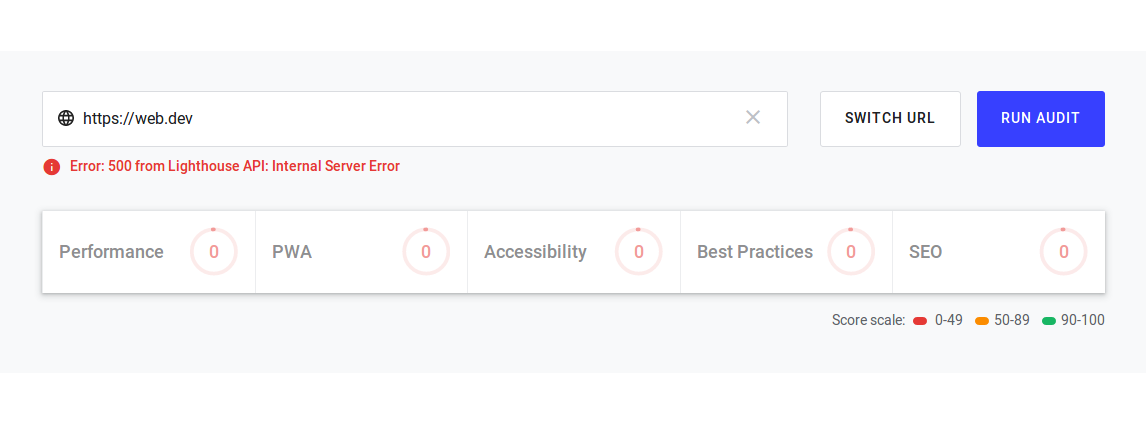
Measure your web page with web.dev
New google service gives hints on how to improve your website.
It also offers learning resources under
Looks useful, though it is still beta …
-
What to do with apache logs?
Two simple things are easily achievable .
- Loading logs into a log file analyser https://matomo.org/
- Depersonalize
An example setup on Ubuntu is shown below.
Configure two daily running cronjobs
0 1 * * * /scripts/import-logfiles.sh
0 2 * * * /scripts/depersonalize-apache-logs.sh
Use import-logfiles.sh to load all server requests into the matomo database. Use depersonalize-apache-logs.sh to anonymize all logs older than seven days. Depersonalization is achieved by replacing the last two bytes of IP-adresses with 0.
Both scripts work on a default Ubuntu setup of apache2. Apache Logfiles are compressed and end with ‚gz‘. They are placed in ‚/var/log/apache2‘ and start with the prefix ‚localhost-access.‘
-
HTTP/3
„The protocol that’s been called HTTP-over-QUIC for quite some time has now changed name and will officially become HTTP/3. This was triggered by this original suggestion by Mark Nottingham.“
-
On Github – A web based mission control framework
-
Wenn Kopierer nicht kopieren…
…ist vermutlich Software im Spiel.
Sehr sehenswerter/unterhaltsamer Vortrag aus dem Jahre 2014. Wer es noch nicht kennt…
„Kopierer, die spontan Zahlen im Dokument verändern: Im August 2013 kam heraus, dass so gut wie alle Xerox-Scankopierer beim Scannen Zahlen und Buchstaben einfach so durch andere ersetzen. Da man solche Fehler als Benutzer so gut wie nicht sehen kann, ist der Bug extrem gefährlich und blieb lange unentdeckt: Er existiert über acht Jahre in freier Wildbahn.“