
jan

  • The Filesystem Hierarchy Standard (FHS) defines a standard layout to organize various kinds of application and OS related data in a predictable and common way [1].

    A basic knowledge of the FHS will help you to find application or OS related data more easily. If you are a developer, it also provides a good orientation for organizing your own applications in a maintainable way, e.g. as ubuntu package.

    /bin – essential user commands

    /boot – OS boot loader

    /dev – devices (everything is a file principle)

    /etc – system configuration

    /home – user data

    /lib – essentail shared libraries

    /media – mount point for removable media

    /mnt – mount point for temporarily mounted filesystems

    /opt – add-on applications

    /root – home of root

    /run – run time variable data

    /sbin – system binaries

    /srv – data for services provided by the system

    /tmp – temporary data

    /proc – is a virtual filesystem

    /usr – secondary hierarchy

    bin – Most user commands
    lib – Libraries
    local – Local hierarchy (empty after main installation)
    sbin – Non-vital system binaries
    share – Architecture-independent data

    /var – variable data

    cache  – Application cache data
    lib  – Variable state information
    local  – Variable data for /usr/local
    lock –  Lock files
    log – Log files and directories
    opt – Variable data for /opt
    run – Data relevant to running processes
    spool – Application spool data
    tmp  -Temporary files preserved between system reboots

    Find more

    What about – /init.d ?

    What does the .d stand for in directory names?
    FHS in Debian


  • http://www.graalvm.org/

  • http://august.nagro.us/small-java.html

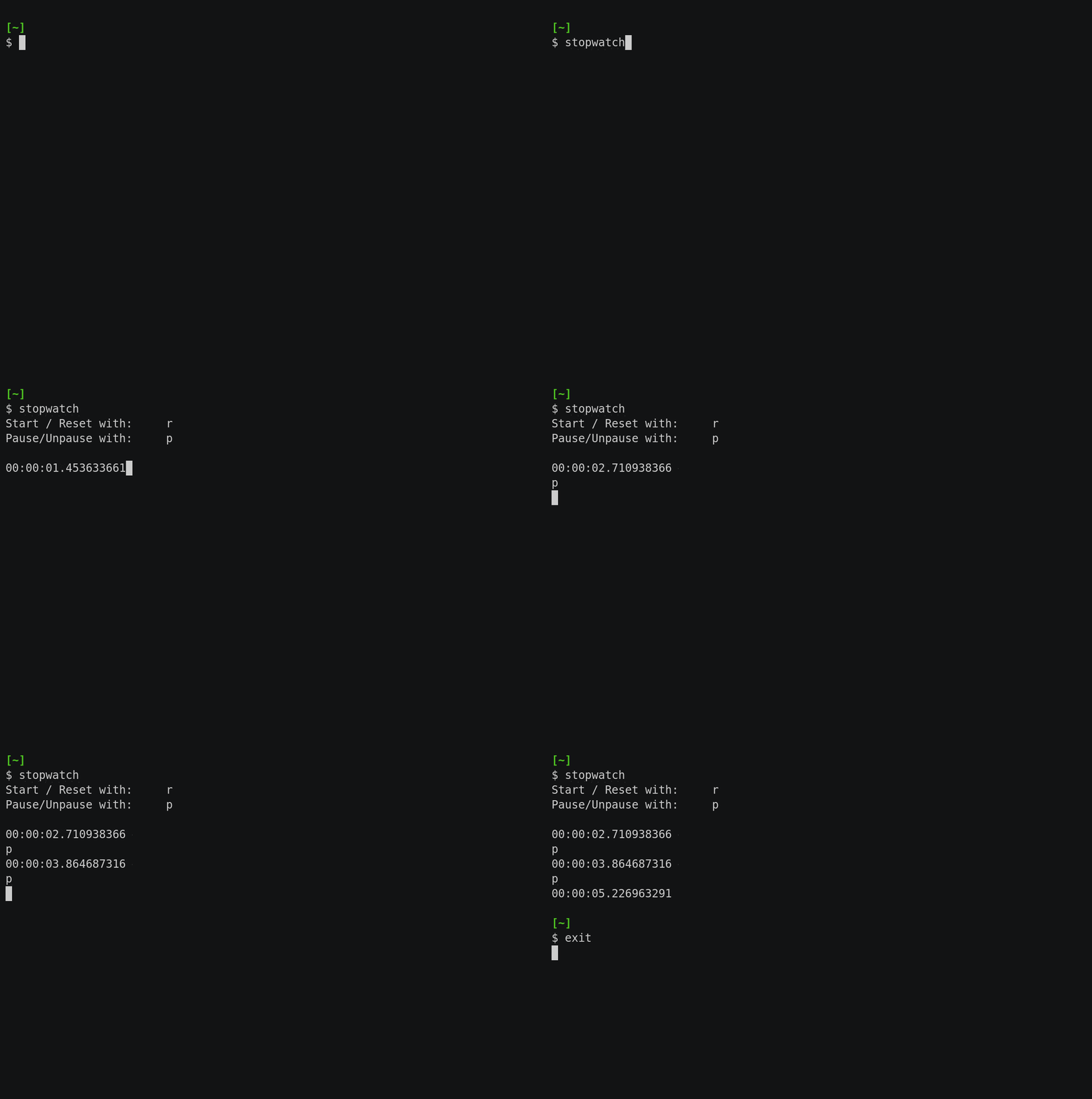
  • Is it possible to implement a stopwatch in bash? Here is my try:

    https://github.com/jschnasse/stopwatch/blob/master/stopwatch

    The script uses some interesting features like:

    1.  read -s -t.1 -n1 c to read exactly one character (-n1) into a variable c only waiting 0.1 seconds for user input.
    2. sleep .1 to delay further processing for 0.1 seconds
    3. secs=$(printf "%1d\n" ${input: 0 : -9})Create a digit from all but the last 9 characters lead by a zero if string is empty. This is used to separate seconds from a nano seconds. 
  • Load a properties file from current directory.

    Properties properties = new Properties();
    properties.load(new FileReader(new File(".").getCanonicalPath() + File.separator + "java.properties"));
    

    Write a start script

    #! /bin/bash
    scriptdir="$( cd "$( dirname "${BASH_SOURCE[0]}" )" && pwd )"
    cd $scriptdir
    java -jar MyExecutable.jar
    cd -

    Now you can start your configurable java program from any location, e.g. by linking the startscript to /usr/bin/ .

  • Printing

    printProperties(System.getProperties());
    
    private static void printProperties(Properties properties) {
      new TreeSet<>(properties.keySet()).forEach((k) -> {
        System.out.println(k + " : " + properties.get(k));
      });
    }


  • …es schreit der Wal. Es naht der kölner Karneval.

  • The unix tool date can be used to print the current date. It also can be used to calculate time spans or to reformat time strings.

    Examples:
    1. Print the current date in a conventional form

    date +"%d. %B %Y"

    2. Use certain locale. Find supported list in /usr/share/i18n/SUPPORTED

    LANG=de_DE.UTF-8 date +"%d. %B %Y"

    3. Print an arbitrary (but valid) timestring in a conventional form

    date -d 2003-11-22 +"%d. %B %Y"

    4. Print the current date as seconds since 1970 (unix epoche)

    date +%s

    5. Calculate the difference of two dates in days. Explanation can be found here.

    A="2002-10-20"
    B="2003-11-22"
    echo $(( ($(date -d $B +%s) - $(date -d $A +%s)) / 86400 )) days

    6. Print seconds after 1970 (unix epoche) in a conventional form.

    TZ=UTC LANG=en_EN.UTF-8  date -d@0 +"%H:%M:%S %d. %B %Y"

    Note: if TZ=UTC is left out, date will add or subtract an offset in accordance to systems timezone.

    7. Find timezone offset

    OFF_1=$(date -d '1 Jan' +%z)
    OFF_7=$(date -d '1 Jul' +%z)
    echo $OFF_1 $OFF_7


  • Mehr Drama als Thriller. Solide arrangiert.

    6/10 Punkte

    Lichtspiele Kalk 09.02.2019
    https://www.lichtspiele-kalk.de/filme/the-mule/